![paragon logo-1.png]](https://support.paragon-erp.com/hs-fs/hubfs/paragon%20logo-1.png?width=240&height=75&name=paragon%20logo-1.png)
Introduction
Process description:
Step-by-step instructions:
-
Step 1: Navigate to the product module
From any screen, navigate to the product module.

Select a product. In this example, you can see that the initial purchase cost of the selected product is 650 CAD.
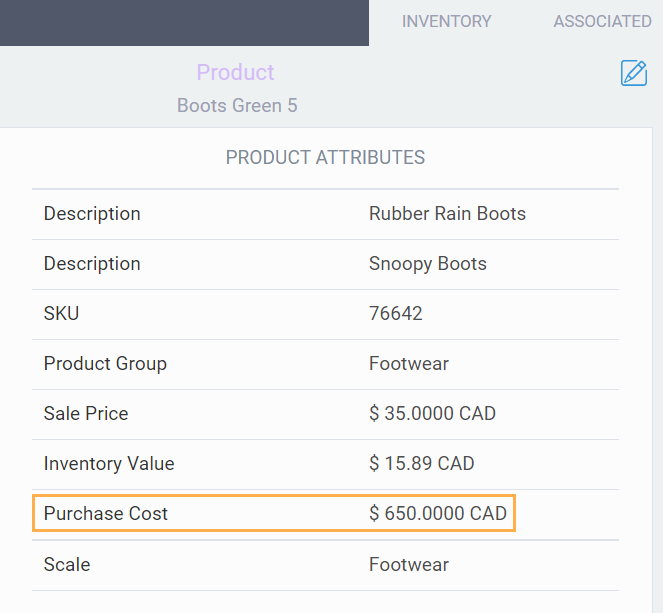
Click the associated tab to enter associations.

-
Step 2: Add associations
Click the edit button in the top right-hand corner of the screen.

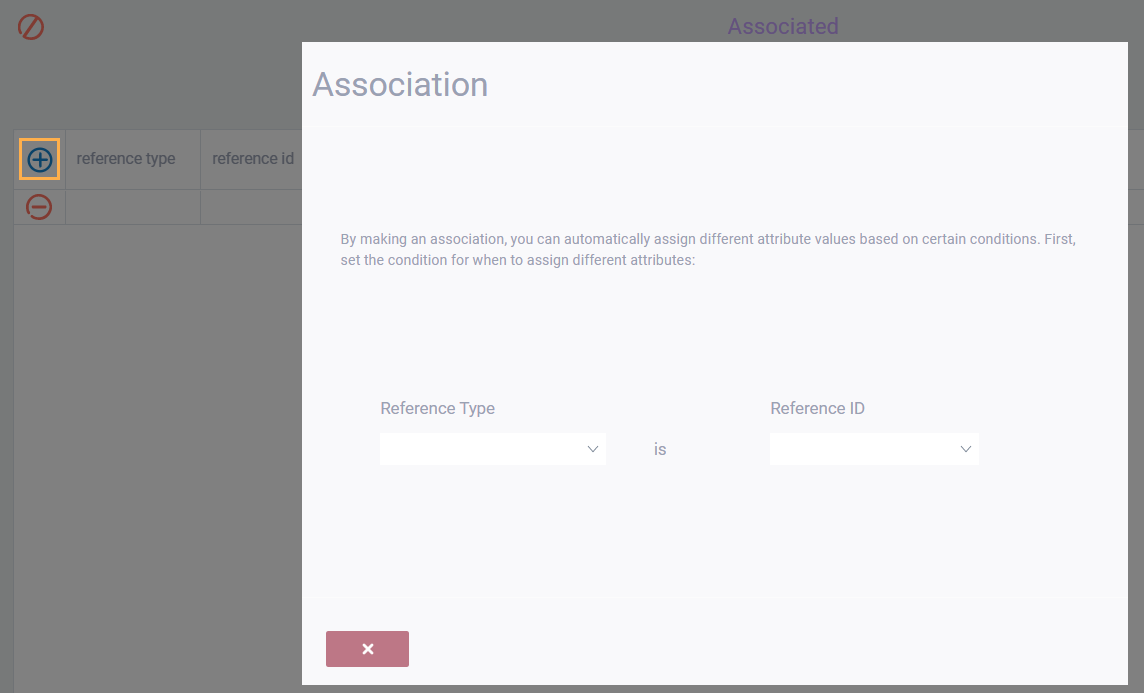
Now, click the add button on the left. A modal will pop up and you'll be prompted to enter a reference type and reference ID.
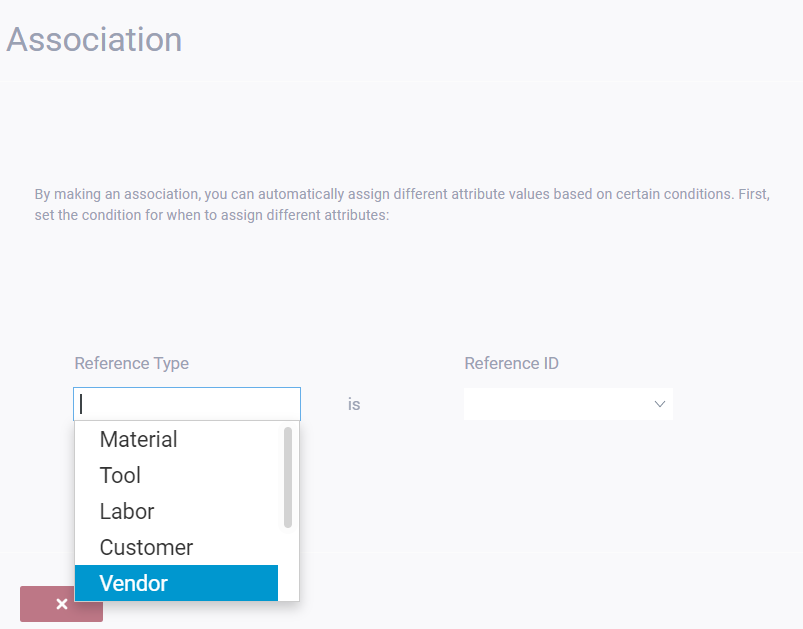
Here we are choosing a vendor.
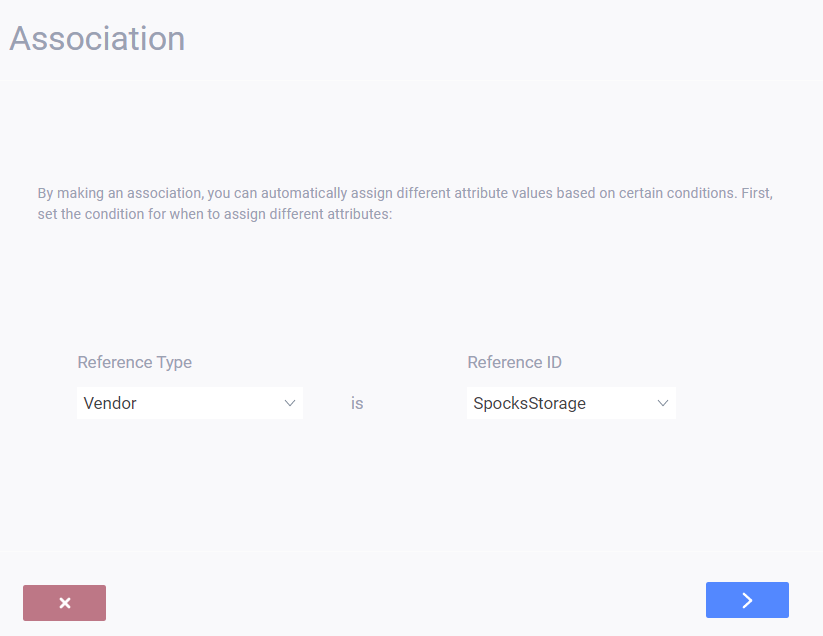
Click the next button. Now, you'll be prompted to enter your associations. Here, we're choosing the purchase cost.
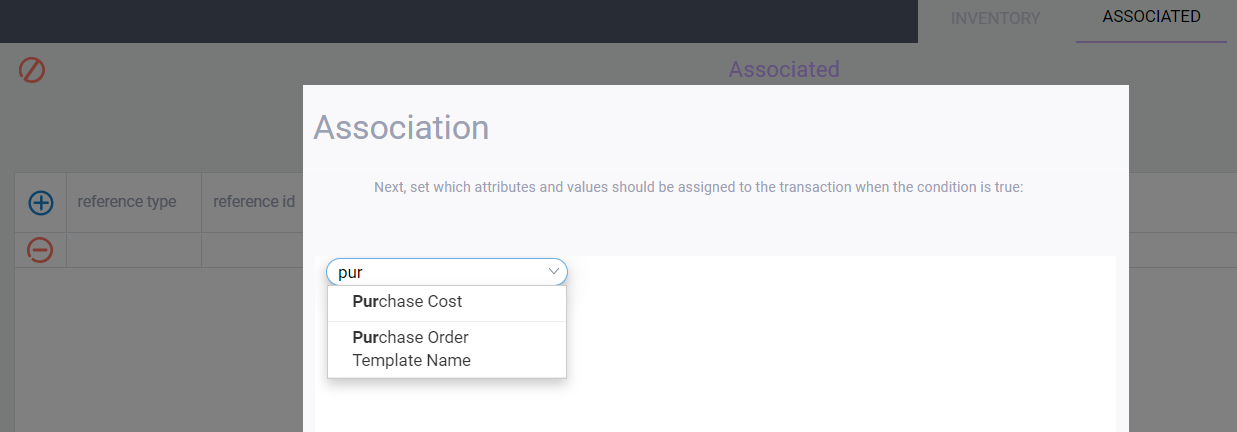
Choose these attributes from the drop down menu, and enter the amounts in the blank fields.
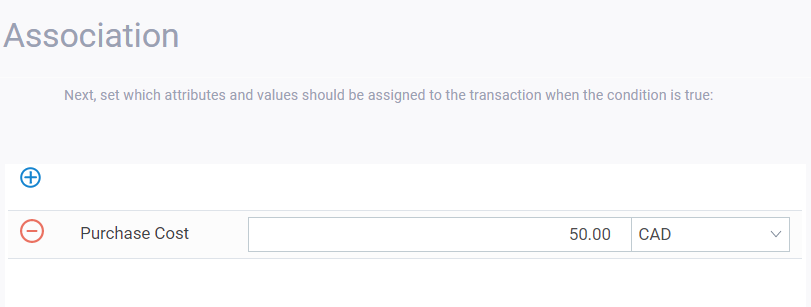
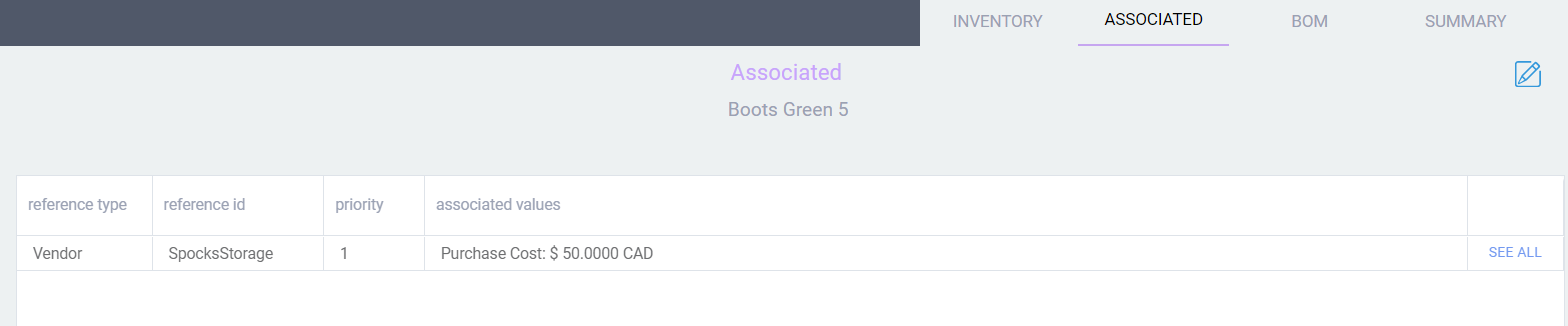
Once you're done adding your associations, click the accept button. You will now be able to see your one-to-many association.

Click the save button once you're done.