![paragon logo-1.png]](https://support.paragon-erp.com/hs-fs/hubfs/paragon%20logo-1.png?width=240&height=75&name=paragon%20logo-1.png)
Introduction
Did you forget your password? This document explains how to get a new password for ParagonERP.
Step by step instructions:
-
Step 1:
If you forget your password, click forgot your password? on the main login page.
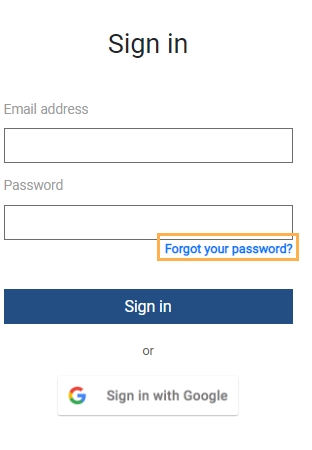
-
Step 2:
Once that's done, you will see the following modal:
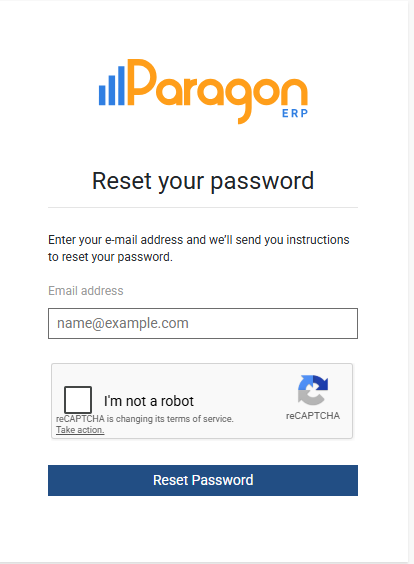
Enter your email address, click on the I’m not a robot box and click reset password.
-
Step 3:
You will then see this modal:
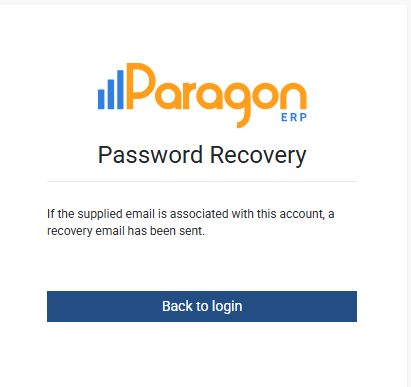
Go to your email that will show your temporary credentials allowing you to reset your password. Go back to the login page and copy the new password from the email.
-
Step 4:
You will be allowed to change the password to one of your choosing at this time. It will prevent you from using a password that you have already used in the recent past.
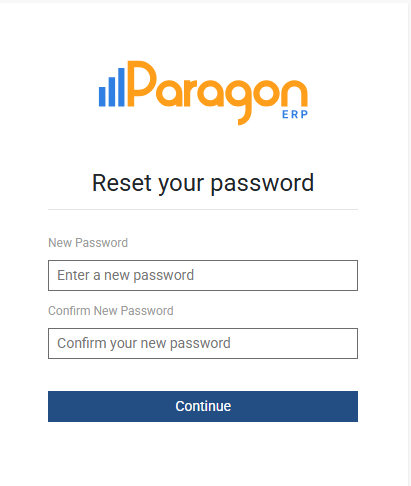
Remember, your password must contain letters, numbers and symbols.
Enter your new password, enter it again, and press continue. You will now be able to to access ParagonERP.
Related articles
If you are just beginning your ParagonERP journey, take a look at the following article. It will help you get started.