![paragon logo-1.png]](https://support.paragon-erp.com/hs-fs/hubfs/paragon%20logo-1.png?width=240&height=75&name=paragon%20logo-1.png)
This release focuses on workflow visibility and system accessibility. We have introduced visual cues for email configurations and resolved issues with display scaling and secure link redirection.
-
Email template indicators: Instantly see if an email template is active on a transaction via a new color-coded icon.
-
Smarter link redirection: Old bookmarks and links now automatically point to the correct, secure login page.
Improvements
Email template status in edit mode
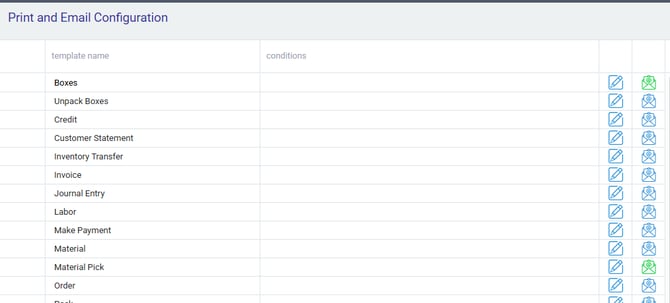
To save you time and provide more context during your workflow, Paragon now highlights the status of your email configurations while you are in edit mode. If an email template is configured for the transaction you are working on, the email icon will appear in green. This simple visual cue ensures you know exactly which records are ready for automated communication.
Clear filter visibility
We have improved the user interface for all list views. The clear filter icon is now fully visible and accessible at any browser zoom level, ensuring you can always reset your search criteria regardless of your screen settings.
Automatic login redirection
We have updated our security protocols to provide a smoother login experience. Any pre-existing saved links or bookmarks to Paragon will now be automatically rerouted to the correct, updated login URL (Uniform Resource Locator). This eliminates the "forbidden page" errors previously encountered when using outdated links.
Bug fixes
-
Excel imports: You can now successfully set the price and discount override option to no when importing transactions via Excel.
-
Security updates: Improved background routing ensures that all user sessions are directed to the most secure entry points of the application.